
Records
Explain what a record is, recognize common record types, locate a Person record, and understand why the Person record is foundational to work throughout Slate.
Everything starts with the Person record. Understanding records and their relationships is key to everything you'll do in Slate.
Records: Where Slate Starts
Before learning queries, forms, Deliver, rules, workflows, or most other areas of Slate, you need to understand what all of those tools are working with: records.
A record represents something Slate stores information about.
For new users, the most important place to start is the Person record. It brings together information about an individual and connects you to their interactions with your institution.
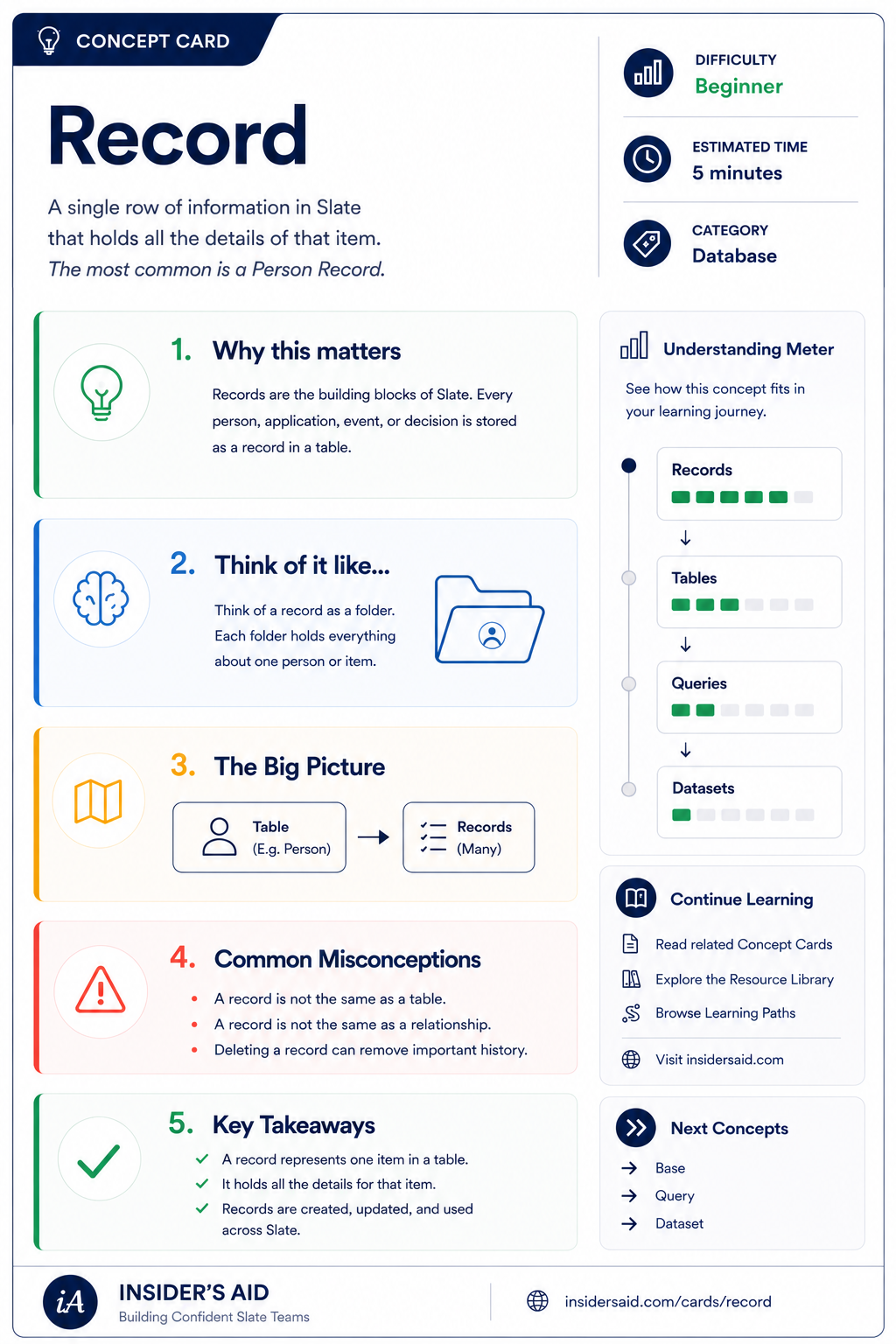
Record
A single row of information in Slate that holds all the details of that item — most often a person.
Everything starts with the Person record.
As you work in Slate, you'll encounter many kinds of records and relationships between them. Understanding what record you're looking at—and how it connects to other information—is one of the foundations for understanding Slate.
Remember these
Something Slate stores information about.
The central place for information and activity associated with an individual.
Records and information throughout Slate can connect to one another. Understanding those connections becomes increasingly important as you work with queries, forms, applications, and other Slate tools.
Check your understanding
One question at a time. Wrong answers are just practice.
Which statement best describes a record in Slate?
Find Your First Person Record
Locate a Person record and explore where information about that person lives.
Open your institution's Slate database in another tab. Use Omnisearch to locate a Person record you are permitted to view. Then spend a few minutes exploring the record.
- Basic identifying information
- Contact information
- Tabs or sections organizing additional information
- Activities or interactions associated with the person
- Other records or information connected to the person
Slate is highly customizable. Your institution's tabs, fields, views, permissions, and processes may differ from examples used throughout Insider's Aid. Focus on understanding the concept rather than finding an identical screen.
Reflection
Where did you find information about the person?
A Student Needs Help
A student calls your office and says: “I submitted something a few weeks ago, but I'm not sure whether you received it.” Before deciding exactly where to look, what is the best first step?
What is the best first step?
Think Like a Slate User
Person
Record
Information + Relationships
Tools & Processes
When you're new to Slate, it's tempting to start by asking: “Where do I click?”
A stronger question is: “What record am I working with, and where does the information I need live?”
Learning Slate becomes much easier when you understand the structure behind the screen instead of memorizing clicks.
Keep Learning
Record
A single row of information in Slate that holds all the details of that item — most often a person.
Fields
Learn where individual pieces of information are stored.
Queries
Learn how Slate helps you find groups of records.
Datasets
Learn how structured collections of records can be organized.
Finished the lesson?
Mark it complete to track your progress. Progress is saved in this browser.
Materials
Understand how documents and other submitted information are associated with student records and processes.