
Fields
Explain what a field is, distinguish between a field and its value, locate field values on a record, and understand why knowing where information is stored matters throughout Slate.
Fields define the individual pieces of information Slate stores. Understanding where information lives is foundational to finding it, collecting it, reporting on it, and using it in processes.
Fields: Where the Details Live
In the last lesson you learned that a record is something Slate stores information about. This lesson is about the information itself.
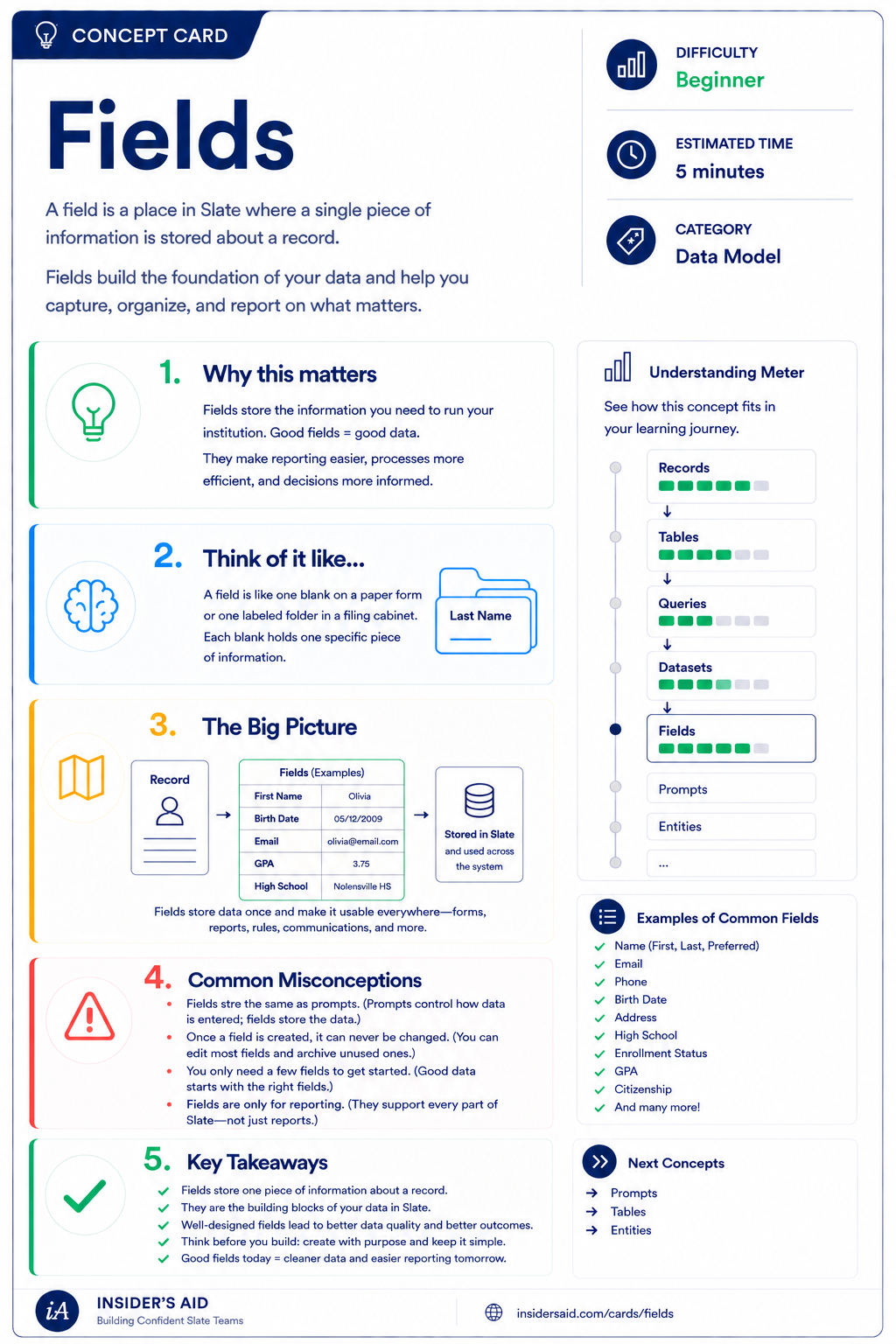
A field is a defined place where one specific piece of information is stored. Email address is a field. Birthdate is a field. Application status is a field.
The field is the container. The value is what's inside it for a particular record. Two people share the same fields, but almost never the same values.
Fields
A field is where a single piece of information is stored about a record — the foundation of your data.
A field is the label. A value is the answer.
Jordan Ellis
Email Address
jellis@example.edu
Same field, different value, on every record in your database.
When someone asks you to “pull everyone with an incomplete application,” they're really asking you to look at a field and filter on its value. Knowing which field holds the information is usually the hardest part of the request.
Remember these
A defined place where one specific piece of information is stored.
The actual information stored in a field on one particular record.
Values arrive from forms, imports, staff entry, and automated processes. The field stays the same no matter how the value got there.
Check your understanding
One question at a time. Wrong answers are just practice.
Which of these best describes a field?
Read the Fields on a Record
Open a Person record and separate what you see into fields and values.
Open your Slate database in another tab and pull up a Person record you're permitted to view. Slowly read the record and notice the labels around the information — those labels are fields.
- A name field and its value
- A contact field (email or phone) and its value
- A date field and its value
- A field that is currently empty
- A field whose value came from a form or import
For anything you found, you should be able to say it out loud in this shape:
Birthdate
March 14, 2007
Slate is highly customizable. Your institution's tabs, fields, views, permissions, and processes may differ from examples used throughout Insider's Aid. Focus on understanding the concept rather than finding an identical screen.
Reflection
You looked at two different Person records. What was the same and what was different?
A Colleague Asks for a List
A colleague emails you: “Can you send me everyone who listed Nursing as their intended major?” You have access to build the list. What has to be true before you can build it?
What is the necessary first step?
Think Like a Slate User
Record
Who or what
Field
Where it's stored
Value
What it says
Use it
Find, report, automate
New users tend to ask: “Where do I click to see this?”
A stronger question is: “Which field stores this, and what value am I expecting to find there?”
When a request feels vague, translate it into a field and a value. “Everyone who's incomplete” becomes “this field equals this value” — and suddenly it's buildable.
Records and Fields Together
Lesson 01 gave you the container. Lesson 02 gives you what's inside it.
The person
The question
Their answer
A record without fields would hold nothing. A field without records would apply to no one. Every tool you learn next — forms, queries, datasets, rules — is a different way of reading or writing values into fields on records.
Next up: Forms, the most common way values get into fields in the first place.
Keep Learning
Fields
A field is where a single piece of information is stored about a record — the foundation of your data.
Records
Revisit what a record represents and why the Person record matters.
Forms
See how values get collected into fields in the first place.
Queries
Filter and export records based on field values.
Finished the lesson?
Mark it complete to track your progress. Progress is saved in this browser.
Forms
How information gets into Slate — and moves a process forward.