
Forms
Explain the role forms play in Slate, recognize that forms can collect information and support processes, identify common uses for forms, and understand how forms connect people, data, and actions.
Forms are one of Slate's most flexible tools for collecting information and supporting processes. They can do much more than replace a paper form.
Forms: More Than a Form
Now that you understand records and fields, let's look at one of the primary ways information enters Slate: forms.
At the simplest level, a form collects information. But in Slate, forms can do much more than replace a paper form or online questionnaire.
Forms can collect information from students, staff, or other audiences; connect responses to records; support registrations; update information; and become part of larger workflows and processes.
That's why you'll encounter forms throughout Slate.
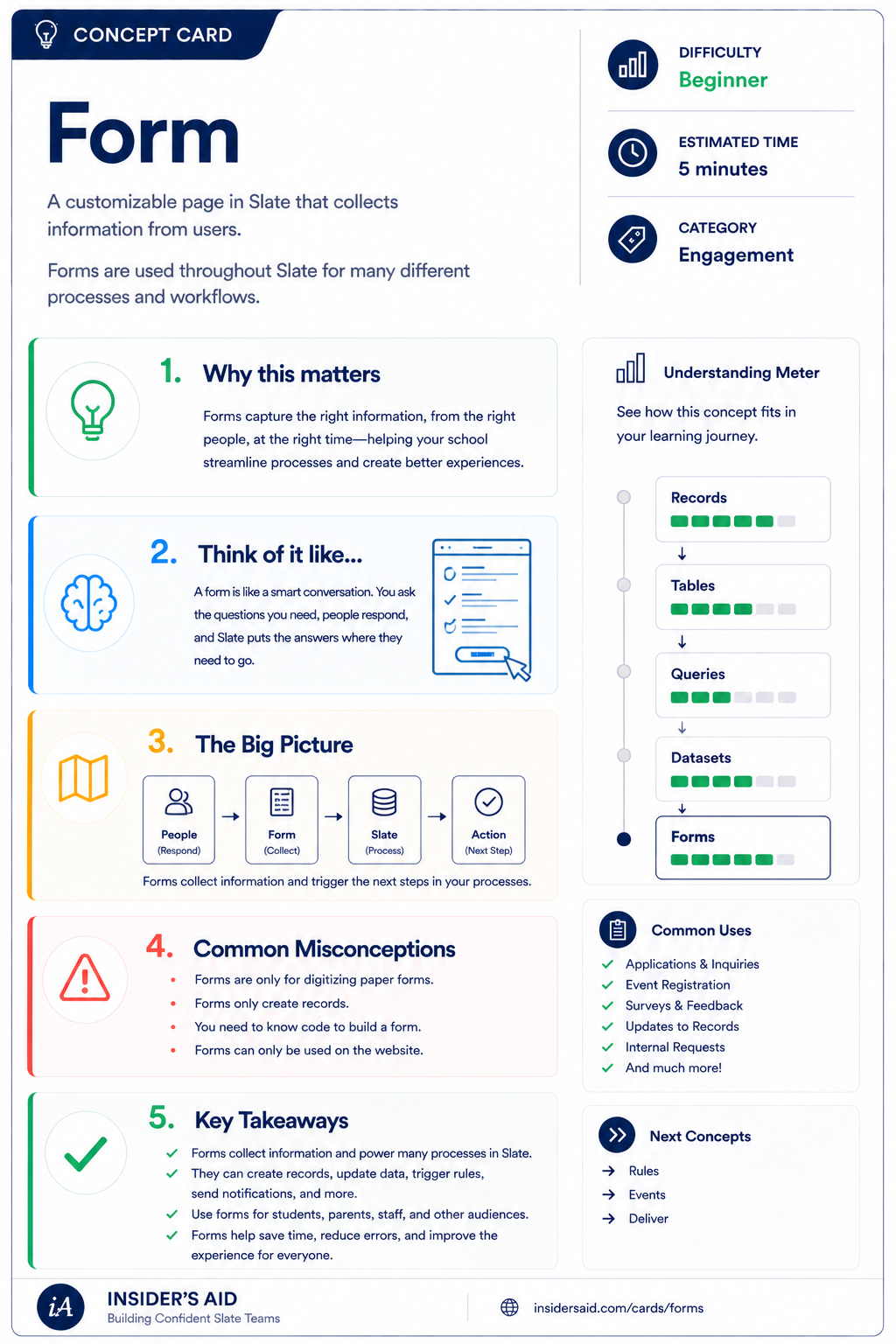
Form
A customizable page in Slate that collects information from users and triggers the next step.
Forms collect information—and can help move a process forward.
Person
Form
Information collected
Slate data / process
A person provides information through a form. Slate captures the response, and depending on how the form and your institution's processes are configured, that information can become part of the person's record or support another action or process.
Not every form works exactly the same way. Slate is highly configurable, and what happens after a form is submitted depends on how that form and surrounding processes have been built.
Remember these
A flexible Slate tool used to collect information and support interactions or processes.
A question or input presented on a form to collect information.
The information submitted through a form.
What your institution does with the information after it is collected.
Forms are everywhere
Collect information from prospective students.
Allow someone to register for a visit, program, or event.
Collect updated or additional information.
Ask someone to indicate intent, preferences, or complete an action.
Allow staff to collect or submit information as part of an institutional process.
These are only examples. Forms are highly flexible, which is why understanding the concept is more useful than memorizing a list of form types.
Check your understanding
One question at a time. Wrong answers are just practice.
Which statement best describes forms in Slate?
Explore a Slate Form
Recognize the parts of a form and think about the information it is designed to collect.
Open your institution's Slate database in another tab and locate a form you are permitted to view or use. This could be an inquiry form, event registration form, internal form, information update form, or another form used by your institution. Spend a few minutes exploring it.
- Identify the purpose of the form
- Identify at least three pieces of information the form collects
- Notice what types of inputs are being used
- Think about who is expected to complete the form
- Consider what might happen after the form is submitted
Can you explain the form in one sentence? Use this mental template: “This form collects ______ from ______ so that ______.”
This form collects visit information from prospective students so that they can register for a campus tour.
Slate is highly customizable. Your institution's tabs, fields, views, permissions, and processes may differ from examples used throughout Insider's Aid. Focus on understanding the concept rather than finding an identical screen.
Reflection
A prospective student completes a campus visit registration form asking for name, email, visit date, and number of guests. What is the primary role of the form in this example?
We Need Students to Tell Us Something
Your admissions office has admitted a group of students. The team now needs each student to indicate whether they plan to attend an upcoming admitted student program and provide the number of guests attending with them. What Slate tool would you most likely consider for collecting this information?
Which tool would you reach for?
Collect It or Find It?
Your director asks: “Can you give me a list of everyone who has already told us they plan to attend the event?” Would you start by collecting new information or finding information Slate already has?
Where would you start?
Think Like a Slate User
Record
Who or what am I working with?
Field
What information do I need?
Value
What information is stored?
Form
How might I collect information?
Person
Form
Information collected
Slate can use that information
When you need information that Slate doesn't already have, one of the first questions to consider is: how will we collect it?
Forms are one of Slate's most flexible answers to that question.
Before building a form, be able to explain what information you need, who should provide it, and what should happen after you receive it. Start with the process—not the form builder.
Put It Together
Your Slate mental model is now: Record → Field → Value → Form.
Who or what does it belong to?
What type of information?
What is actually stored?
How might we collect it?
For example: a Person record holds the field Academic Interest, whose value is Nursing — collected by a form that asked, “What program are you interested in?”
Forms give people a way to provide information. Once Slate has that information, other tools can help you find it, organize it, communicate with it, and act on it.
Next, we'll learn how to find groups of records based on the information Slate already has.
Keep Learning
Form
A customizable page in Slate that collects information from users and triggers the next step.
Records
Review who or what the information belongs to.
Fields
Review where individual pieces of information are stored.
Queries
Learn how to find groups of records based on information in Slate.
Rules
Learn how Slate can take action when defined conditions are met.
Finished the lesson?
Mark it complete to track your progress. Progress is saved in this browser.
Events
Understand how communications can connect students to events and how event activity provides another signal of engagement.